
Celdor Studio: Next-Gen 360° Interactive Visualization
Don't just show spaces and technical projects. Make users experience them. Transform everything from industrial facilities to modern architecture into an engaging browser-based interactive experience.
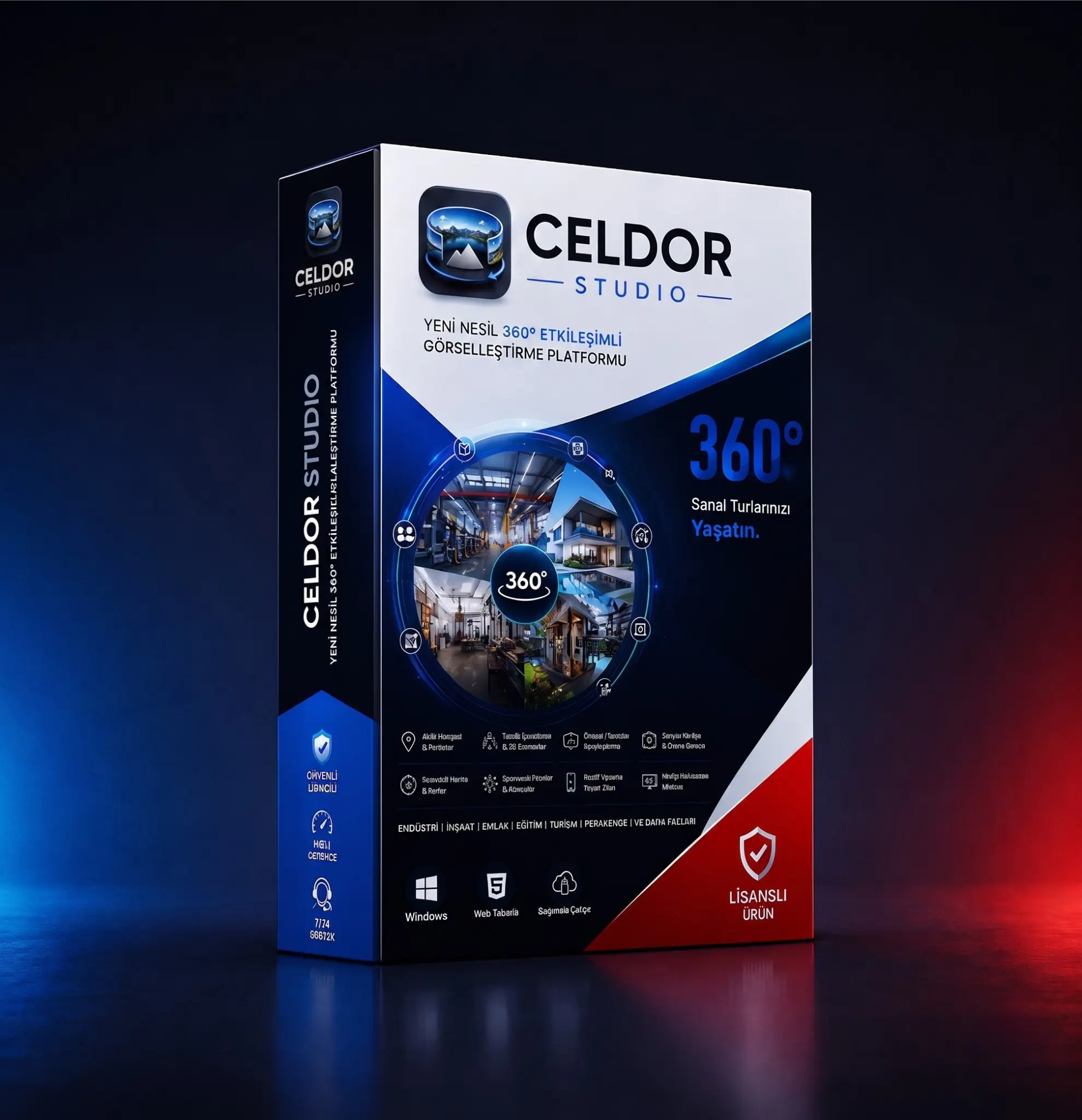
Why Celdor Studio?
Designed to go beyond standard virtual tours. Present your projects to the world at the highest standard with our powerful 3D WebGL infrastructure, precise technical marking features, and smart optimization engine that loads massive files in seconds. Plus, accelerate your team on day one with our exclusive one-on-one training sessions.
Industry-Specific Interaction Scenarios
Industry & Factories
Detailed presentation of production lines and OHS virtual training simulations.
Architecture & Construction
Investor presentations and Before/After site comparisons.
Real Estate
24/7 open, fully measured (smart ruler) luxury villa or sample apartment tours.
Museums & Galleries
Digital exhibitions with rich pop-ups containing history, video, and audio guides.
Education & Campuses
Interactive orientation tours letting students experience campus life.
Hospitality & Tourism
Luxury resort and SPA showcases designed to increase booking rates.
Retail & Showrooms
Virtual stores where customers browse shelves and click products for rich details.
Energy & Infrastructure
Remote inspection and maintenance simulations for power plants and substations.
Standout Platform Capabilities
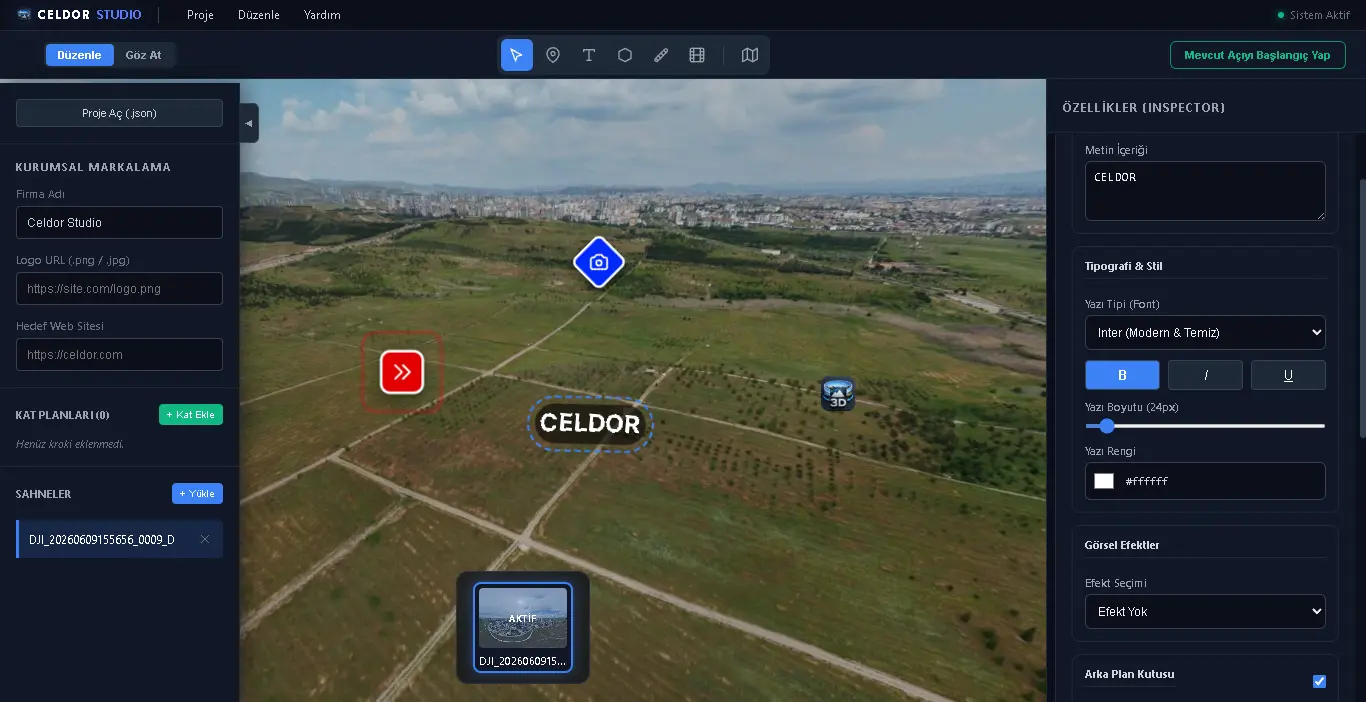
Smart Hotspots & Dynamic Portals
Hovering over transition portals reveals a high-quality preview thumbnail of the target scene. Customize interaction points with 50+ icons, custom CSS animations, and opacity settings.
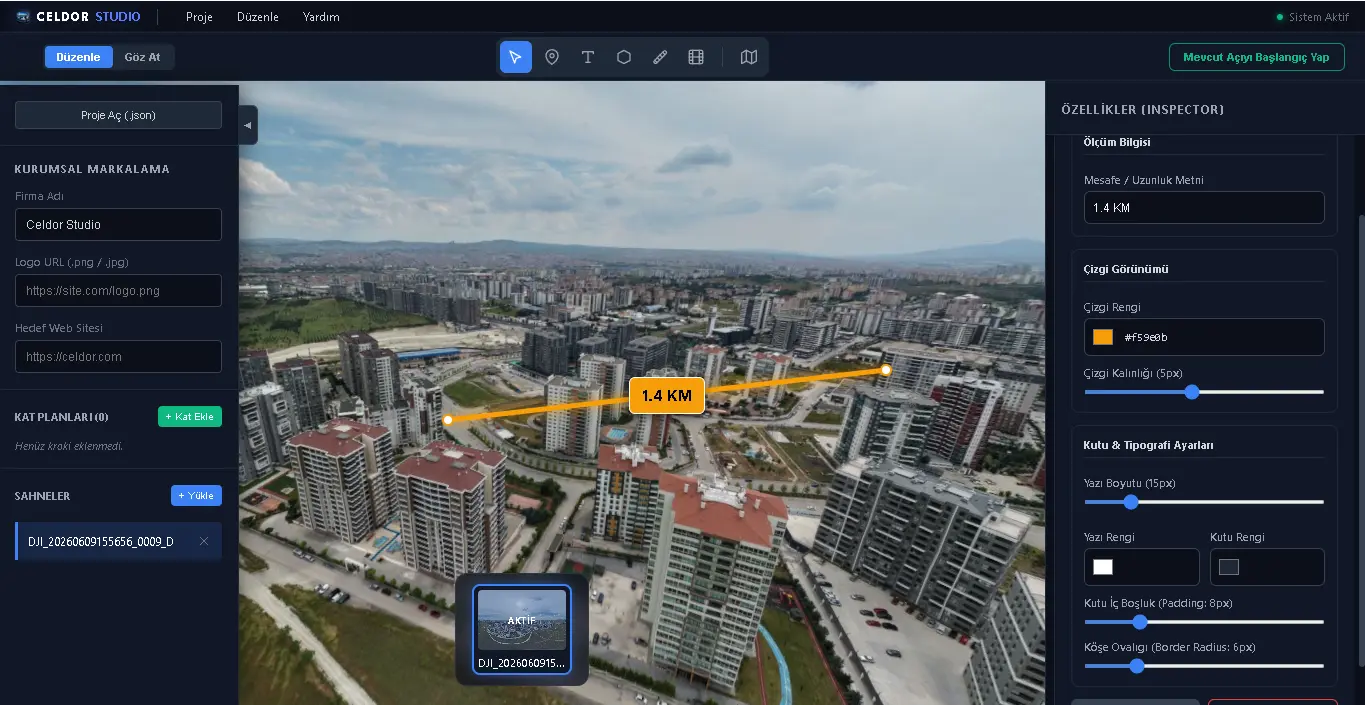
3D Perspective Layers & Markers
Say goodbye to flat screens. Skew and rotate text or data boxes on the X, Y, Z axes to fit the floor or walls. Measure distances milimetrically with the Smart Ruler.
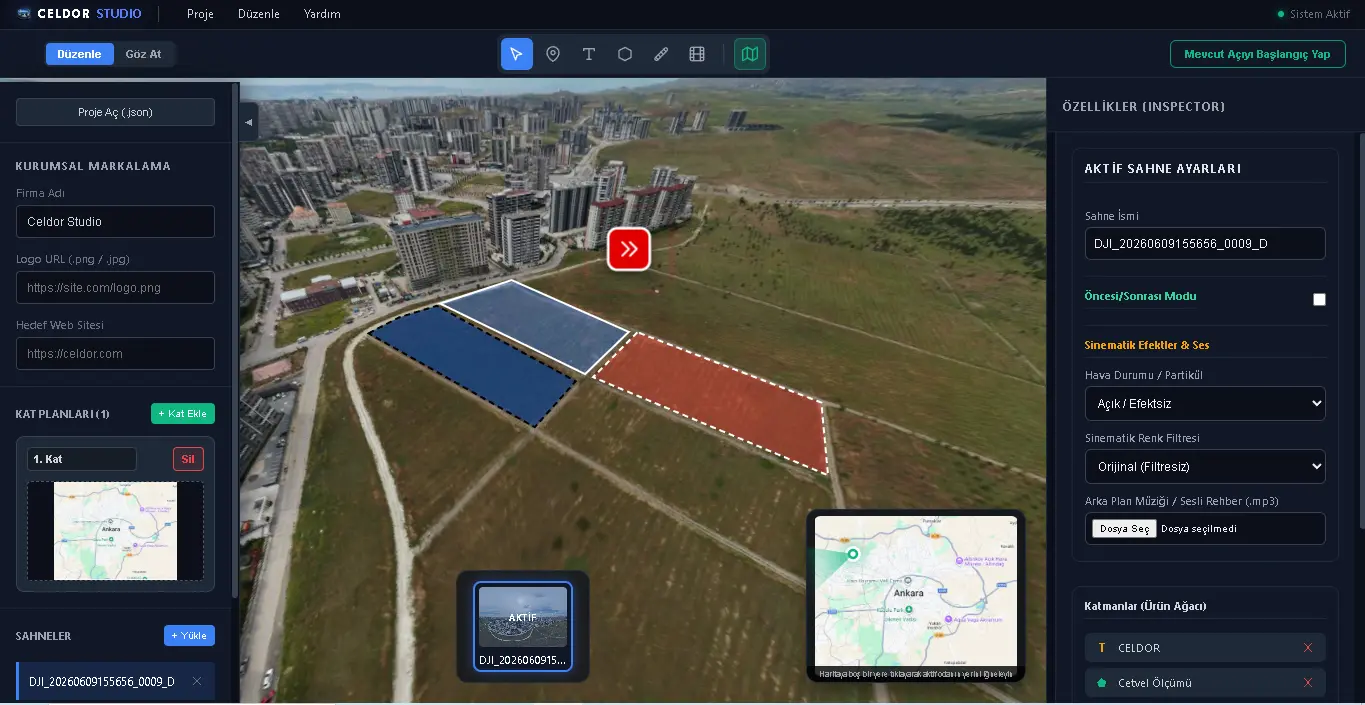
Interactive Polygons
Draw polygons around specific areas (machinery, land). On hover, the area illuminates with a breathing color wave or a cyberpunk 'marching ants' effect.
Rich Media & Green Screen Hologram
Display YouTube videos or PDF catalogs in cinematic pop-ups. Insert green-screen videos of real people/guides directly into the scene with the background automatically removed.
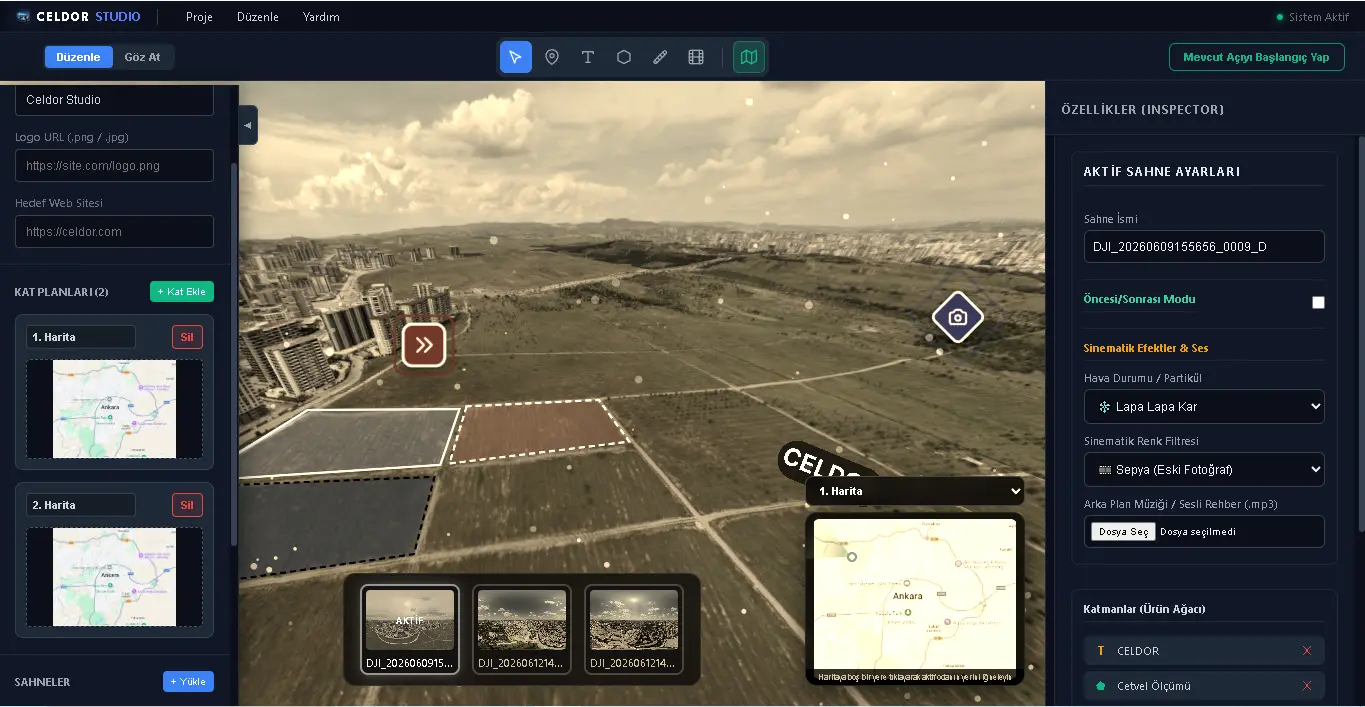
Interactive Radar & Floorplans
Maintain user orientation in massive projects with a multi-floor interactive Minimap. The user's field of view (FOV) is synchronized live with a moving radar.
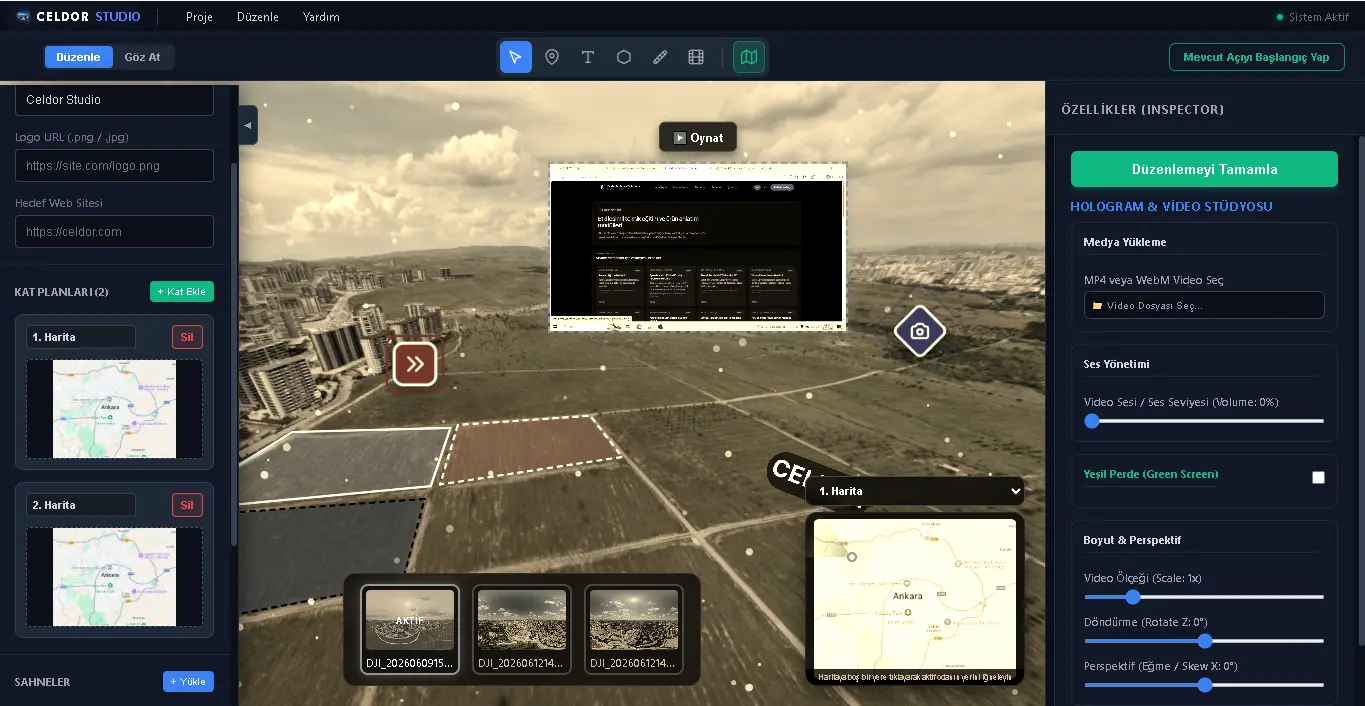
Cinematic Effects & Atmosphere
Control the mood. Add realistic snow or rain, apply cinematic/sepia color filters, and complete the atmosphere with 3D spatial background music or audio guides.
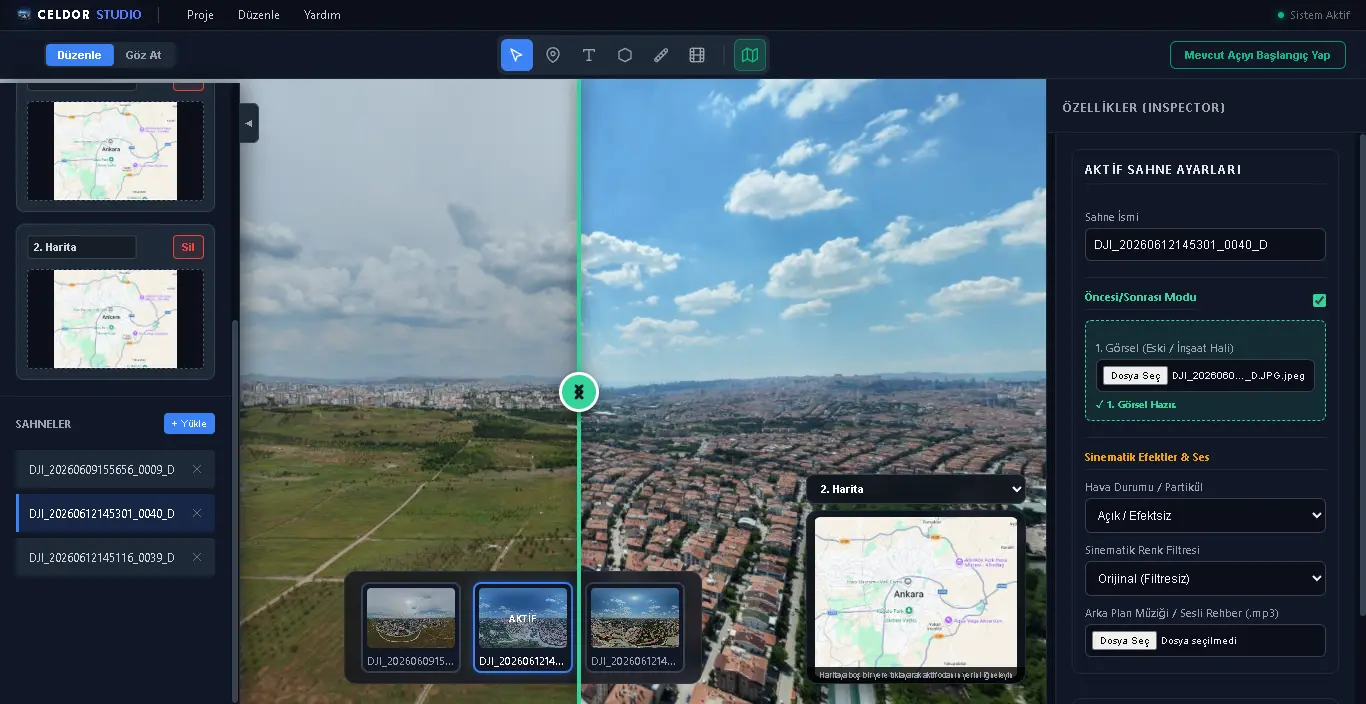
Before / After Splitter Mode
Bend time on a single screen. Compare a raw construction site with its finished state, or a machine's internals with its casing, milimetrically using an interactive slider.
Deployment & Mobile Architecture
Publishing Freedom
4K/2K Optimization Engine
Massive 8K panoramas (20MB+) are compressed by 80% without noticeable quality loss (e.g., 20MB -> 1MB).
Quick previews & mobile
Standard web quality
Premium presentations
Archive & maximum detail
Standalone Web Folder
Your project is exported as a clean index.html folder containing all media. No external servers or cloud subscriptions required. Your data remains 100% secure.
Iframe Embedding
Upload the exported folder to your own server (or AWS, Vercel) and embed it instantly into your or your client's corporate website via an <iframe> tag.
Flawless Responsive Design
Touch-First Engine
Built knowing 70% of visitors use phones. Panning, gyroscope sensing, and pinch-to-zoom actions flow smoothly like native apps.
Smart UI Hiding
Massive maps don't clutter small screens. Map and scene navigation tools slide up elegantly only when triggered by the user.
How It Works in 4 Steps
1. Upload an Image
Drag and drop into the viewer, paste from clipboard (Ctrl+V), or select a file directly from your device.
2. Explore the Panorama
Drag to rotate, zoom with your mouse wheel or pinch gesture. Go fullscreen for a wider view.
3. Create a Share Link
Upload your panorama to an image hosting service, paste the hosted image link, and generate a unique URL.
4. Embed into a Website
Copy the provided iframe code and paste it into your HTML or CMS editor. The viewer will appear directly.
Extensible Visionary Framework
API & Dynamic Data
Pop-up windows are flexible enough to display real-time data (e.g., instant temperature of a machine) directly from the field (ERP/IoT).
E-Commerce & Lead Generation
Visitors can add products to their cart directly from the virtual store or fill out a 'Contact Consultant' form inside a real estate tour.
Heatmap Analytics
Analytics infrastructure measuring which rooms visitors spend the most time in and which hotspots they interact with.
Offline Presentation Mode
Run your tours flawlessly on localhost with a single click from a USB drive at construction sites or trade shows with no internet.
Licensing Options
Stop dealing with expensive cloud subscriptions. Own a perpetual license and host projects on your own servers. Plus, we accelerate your team with free onboarding training.
Individual & Boutique Agency
Single device usage
Enterprise & Large Teams
Multi-device and screen deployment
Frequently Asked Questions
Yes, Celdor Studio runs natively and with high performance on both Windows (10 and 11) and macOS (Intel & Apple Silicon M1/M2/M3 architecture). You can export flawless projects directly from your Mac device.
No. Celdor Studio is a desktop application installed on your PC/Mac. You do not need internet while creating your project or setting up your pipelines.
Absolutely not. Unlike other platforms, we do not charge monthly viewing or hosting fees. You buy the license once, host the output (index.html) on your own site, and maintain 100% control over your data.
The interface is extremely user-friendly and operates on a drag-and-drop logic. Furthermore, we provide exclusive one-on-one remote training for your team after purchase. You'll be ready to build your first project in about 2 hours.
In the individual license, the software is bound to a single machine. However, if your device breaks or gets upgraded, simply contact our support team to revoke the old license and transfer it to your new device for free.
Yes. Your exports are natively 'Responsive' and 'Touch-First'. They work flawlessly on all smartphones and tablets with a web browser. Additionally, thanks to WebXR support, they are fully compatible with VR headsets like Meta Quest.